
As you shop for security cameras, you will encounter multiple resolutions, leaving you wondering which pixel count is appropriate for your application. Fortunately, Optiview can help.
Our guide explores this topic extensively to help you identify the right resolution. You can also explore our wide range of closed-circuit television (CCTV) security cameras at various resolutions.
What Are Security Camera Resolutions?
The resolution of security cameras refers to the amount of detail they provide. High-resolution cameras have more pixel columns and rows than lower-resolution ones. Pixel rows represent an image’s height, while pixel columns depict its width.
An image’s detail level rises with the total number of pixels, which contributes to overall clarity and sharpness. For instance, a 3MP camera generally provides more details than a 2MP one.
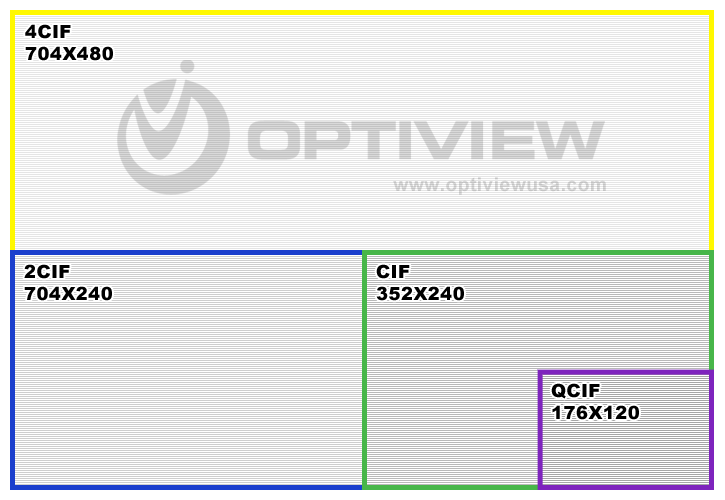
The table below compares various security camera resolution standards.
| Term | Pixels (W x H) | Notes |
|---|---|---|
| QCIF | 176 x 120 | Quarter CIF (half the height and width as CIF) |
| CIF | 352 x 240 | |
| 2CIF | 704 x 240 | 2 times CIF width |
| 4CIF | 704 x 480 | 2 times CIF width and 2 times CIF height |
| D1 | 720 x 480 | aka "Full D1" |
| 720p HD | 1280 x 720 | 720p High Definition aka "HD-SDI" |
| 960p HD | 1280 x 960 | 960p High Definition - a Sony specific HD standard |
| 1.3 MP | 1280 x 1024 | aka "1 Megapixel" or "1MP" |
| 2 MP | 1600 x 1200 | 2 Megapixel |
| 1080p HD | 1920 x 1080 | 1080p High Definition |
| 3 MP | 2048 x 1536 | 3 Megapixel |
| 4 MP | 2688 x 1520 | 4 Megapixel |
| 5 MP | 2592 x 1944 | 5 Megapixel |
| 6 MP | 3072 x 2048 | 6 Megapixel |
| 8 MP / 4K (Coax) | 3840 x 2160 | 8 Megapixel |
| 12 MP / 4K (IP) | 4000 x 3000 | 12 Megapixel |
CCTV Resolution Standards And What They Mean
The terms in the table may describe the size of the image captured at the camera, transmitted over a wire, displayed on the screen, or recorded on the hard drive. Discover what they mean below:
- CIF: The common intermediate format (CIF) is a low-resolution format in standard-definition (SD) cameras.
- D1: This resolution is among the highest in SD CCTV devices.
- HD: High definition (HD) is a superior resolution, offering more detail and clarity than CIF.
- HD over coax: These security cameras represent equipment with the traditional analog coaxial cable infrastructure but with HD capabilities. View the difference between analog and HD over coax.
- IP: Internet protocol (IP) CCTV cameras send videos over a network using a digital stream, allowing them to achieve higher resolutions than HD over coax.
- MP: Megapixel represents resolutions with more than 1 million pixels.
When comparing megapixel camera specifications, you may notice pixel numbers slightly different from our list. This difference results from the fact that some cameras specify the total number of pixels the sensor captures, and others will specify the “effective” pixels. Some of the total pixels contain technical housekeeping data and do not contribute to the “effective” details of the image.
Perceived Differences in Lower-Resolution Cameras
It is useful to know that the human eye is more sensitive to horizontal than vertical resolution. For example, it perceives minimal difference between 2CIF and 4CIF. Another interesting fact about the human eye relates to frame rate. It can perceive about 15 visual images per second (frame rate). So, any frame rate higher than 15 frames per second (FPS) is perceived as smooth motion.
In CCTV, the maximum frame rate available per device is typically 30FPS, which is considered “real time.” Still, anything over 15 FPS looks pretty good. Some devices list different resolutions at different frame rates. For instance, an IP camera might document its resolution as “4MP at 20FPS” or “3MP at 30FPS”. In this case, we recommend using the “4MP at 20FPS” option.
Are Smaller Resolution Standards Worth It?
Quarter CIF (QCIF) and CIF are still relevant when considering mobile devices. Phones display images at QCIF resolution. They capture and store the image in megapixel resolution but transmit it to the recorder and display it in QCIF.
Security Camera Resolution Chart
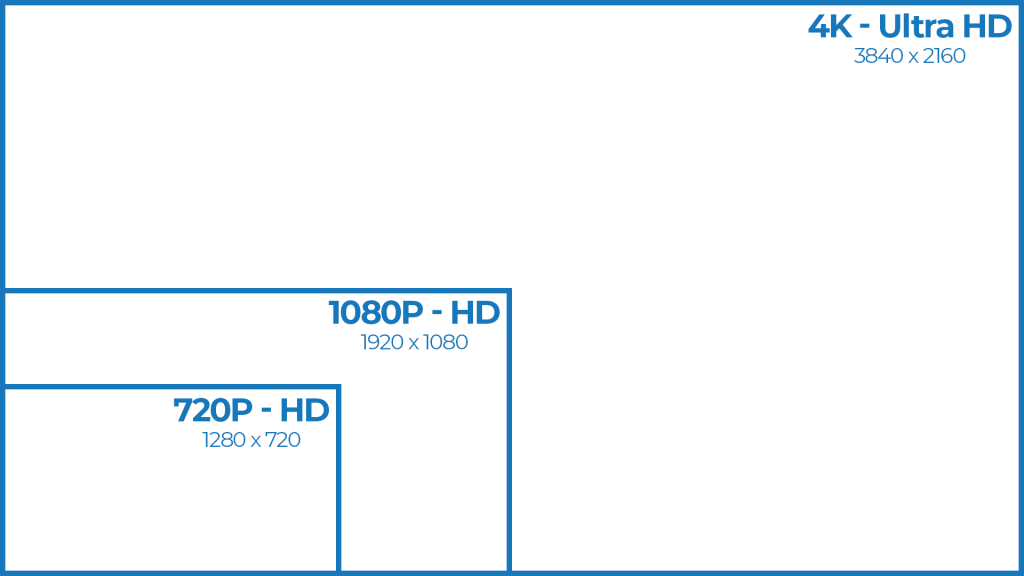
The most popular CCTV resolutions are 720p, 1080p, and 4K. Here is an overview of each:
720p
This HD resolution standard describes a security camera with an image measuring 1,280 by 720 pixels. The industry uses the height — 720 — to symbolize the resolution. The “p” in 720 denotes progressive scan, a format that displays video frames in a sequence from top to bottom.
HD-resolution security cameras offer clear images but can lack detail when you zoom in on specific objects and individuals. They also require less storage capacity than higher-resolution devices. You can install them in small areas such as entrances.
1080p
1080p or full HD (FHD) resolution measures 1,920 by 1,080 pixels and delivers more than twice the amount of detail compared to 720p resolution. CCTV cameras with this resolution provide decent video quality and need less storage space than 4K devices.
You can use 1080p security devices for in-house monitoring, driveways, parking lots, internal employee spaces, commercial storefronts, and other applications where fine details are not critical.
4K
4K, 2160p, or ultra-HD (UHD) resolution delivers almost four times the number of pixels than 1080p, providing better detail and clarity. It features a 3,840-pixel width and 2,160-pixel height. 4K security cameras reveal fine details of objects and people at a distance, making them suitable for warehouses, retail stores, public spaces, and multi-tenant residential properties. This increased detail means 4K CCTV devices require more storage capacity.
Photographic Factors That Impact CCTV Video Quality
While resolution significantly contributes to video quality, other photographic elements can also affect the results. They include:
- Lens quality: Lenses influence how a camera focuses and transmits light, affecting the color contrast. For improved video quality, consider lenses with wide apertures and sharp optics.
- Sensor size: Cameras with larger sensors capture more light, boosting color accuracy, enhancing detail, and increasing video clarity.
- Lens type: Acquiring the correct lens type for your application can positively impact video quality. For instance, fixed lenses serve small areas like entrances better, while the zoom variety excels in applications that require monitoring distant areas.
- Lighting: Positioning a security camera in an area with good lighting conditions can generate videos with better depth, color accuracy, and vibrancy. Some devices may have night vision features for improved surveillance in the dark.
Other factors that can affect video quality include:
- Weather: Protective features like coverings on outdoor CCTV cameras safeguard against weather damage. This protection allows the equipment to record quality videos.
- Recording capabilities: You should match a security camera with the right recording device. For example, equipment that records in a lower resolution than the camera’s abilities will compress the video files, reducing their quality.
- Positioning: Position the CCTV camera away from obstructions to capture a good view of the target area.
What Type of Security Camera Should You Buy?
Each camera in your application may require a different resolution. It comes down to the following considerations:
- Detail level: Applications requiring a great deal of detail, such as reading license plates, recording monetary transactions, and performing facial recognition, suit 4K and higher resolutions.
- Budget: Your target budget will dictate the resolution type you can acquire. Higher-resolution equipment is more expensive than lower-resolution cameras.
- Surveillance area: Resolution performance differs depending on the monitoring area. For instance, 1080p works well for general indoor surveillance, while 4K prospers in outdoor surveillance of a large area.
- Storage space: Higher resolutions require more storage capacity than lower resolutions, which could cost you more.
How to Record Security Camera Footage
CCTV camera systems usually have many cameras with different resolutions and one recorder. So, confirm that your recording equipment supports the camera with the highest resolution. Also, ensure it offers sufficient space to record all your camera data for the required period.
Image resolution is crucial for future reference because the quality of a zoomed-in object or subject depends on the recorded resolution. As a result, set every DVR channel to record at the highest resolution the cameras support.
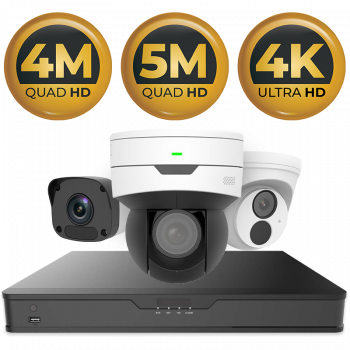
HD Surveillance Cameras and Recorders for Sale
Browse our catalog of surveillance equipment.
Surveillance Solutions From Optiview
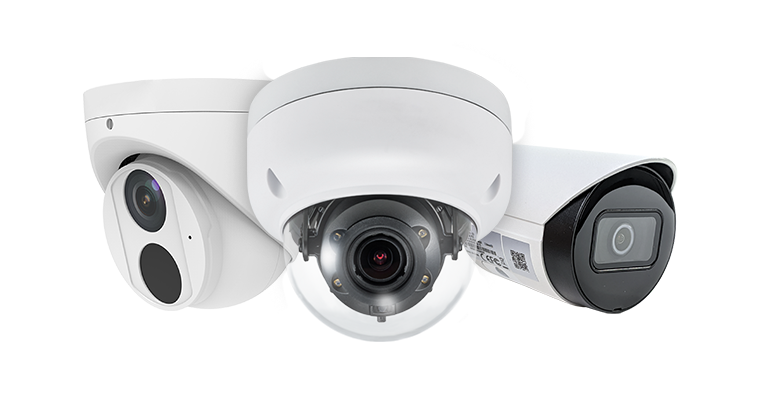
Explore our wide range of surveillance equipment.
Why Purchase Security Cameras From Us?
Optiview manufactures and distributes high-quality security cameras with various resolutions that meet your application requirements. Investing in our products offers these benefits:
- Reliable expertise: We have over 20 years of experience building reliable security equipment for various industries. Our innovative, customized approach empowers us to build solutions that meet your specific use case.
- Jobsite design and planning: Our team can determine the critical locations that require surveillance and assess the site to help you establish a suitable security system.
- Technical support: We offer ongoing support after purchase through product training, in-house technical assistance, service notifications, and CCTV video guides.
- Protected dealer network: Our dealer network comprises authorized partner businesses that source security cameras directly from us.
- Dependable products: We hold licenses from the Federal Communications Commission (FCC) and Underwriter Laboratories (UL) approvals, demonstrating our commitment to delivering quality solutions.
Contact Optiview for Assistance
Optiview experts can help you find the proper security camera resolution for your use case and customize the firmware and setup as needed. Call 904-805-1581 to get started.